
How to Find Your Dragonfly Number
You can find it on the GYTOA membership card emailed to you by Allison Jones.
You can find it on any email you receive via Dragonfly.
From your desktop computer:
1. Log on to your Dragonfly account, and make sure you are on your home page. It should look like this:
.png)
2. Your Dragonfly number (as well as your old OHSAA number if you have one) will be in the upper left corner near your name and photo, where I have drawn the red box.
From the app on your phone or tablet
1. Open and log on to the Dragonfly app on your device. Your home page should look like this:
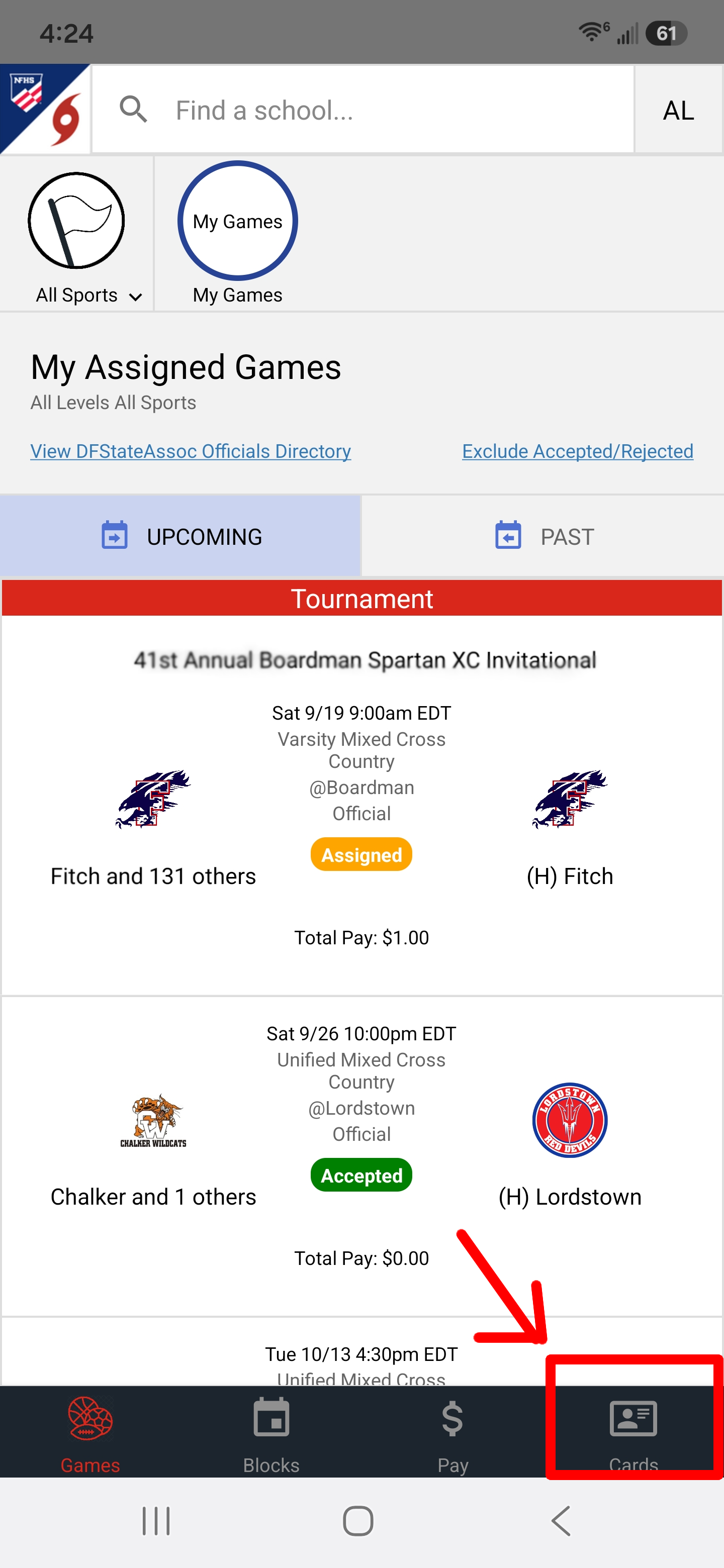
2. Click in the lower right corner where it says,
"Card."
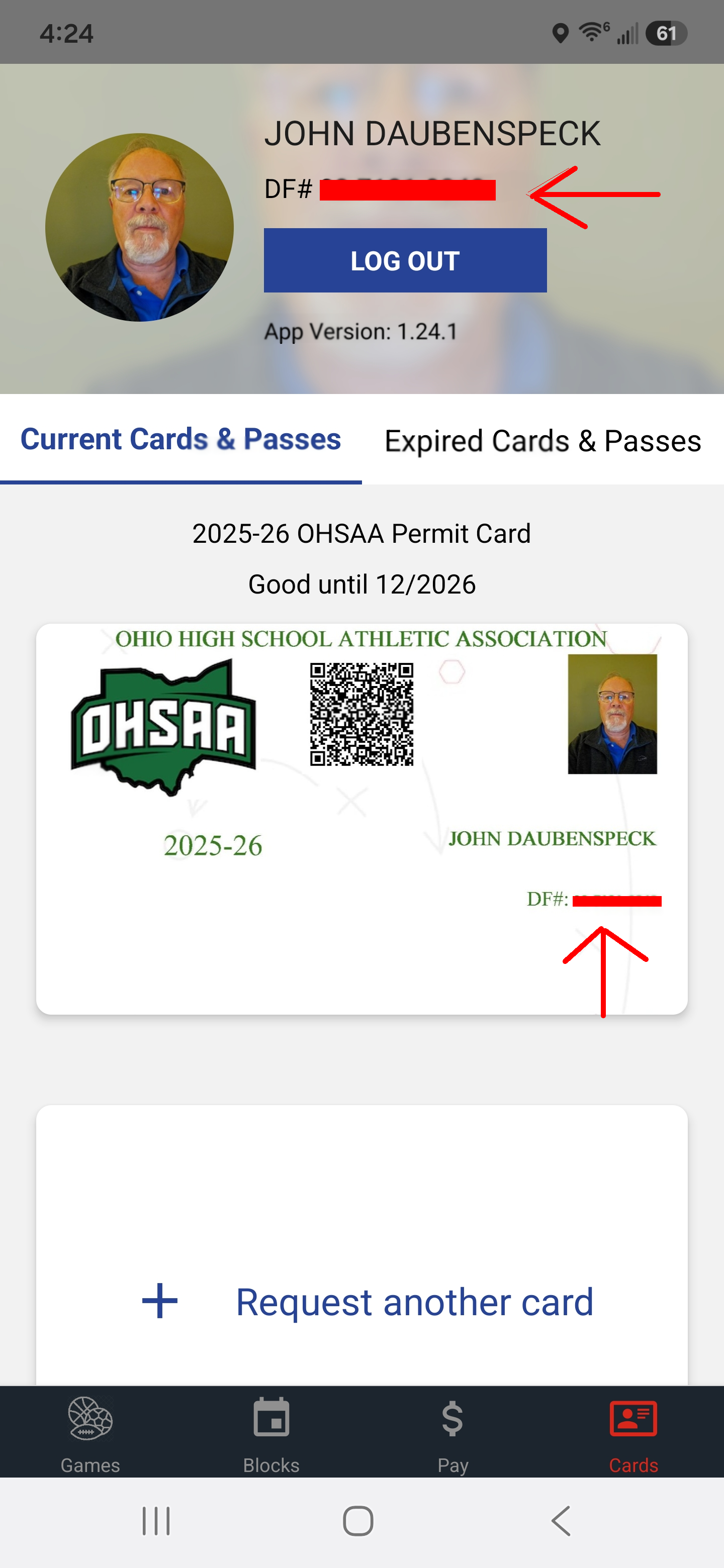
3. Your Dragonfly number will be where you see the red bars in the image below.
© 2009 - Greater Youngstown Track Officials Association - All
Rights Reserved
Website Designed by Joshua J. Bodnar and Maintained by John Daubenspeck